The RFQ comes in. The requests go out to suppliers — and the tracking runs itself.
Case study by Achiya Cohen, founder of Achiya Automation
A quoting system for a B2B trading company, built in Make: a request for quote (RFQ) that comes in by email turns into tailored outreach drafts for the relevant suppliers, the supplier databases are scanned automatically, and a tracking scenario checks every 10 minutes who replied and who needs a reminder. The agent just approves and sends.
Every RFQ requires manual breakdown and search RFQ → supplier drafts and tracking
- An RFQ email arrives — an agent reads and breaks it down by hand
- Part-number searches require moving between systems
- The same type of supplier message is drafted by hand
- There is no central view of supplier replies
- An RFQ email comes in → AI breaks down all the part numbers
- The supplier database is scanned automatically for prices
- A draft quote is written for the agent in Gmail
- The agent reviews the drafts before approval and sending
Here's how it works inside
A description of each flow, with identifying details removed.
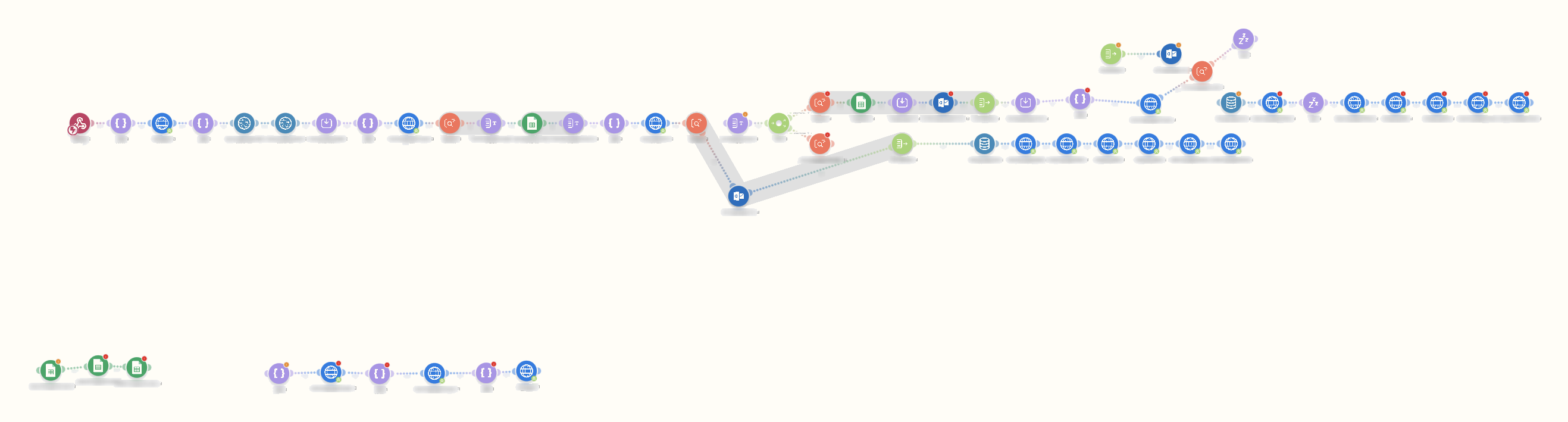
RFQ in the inbox → drafts to all the suppliers → database scan
The request for quote is captured from the email, the part numbers are broken down, and the system prepares a tailored outreach draft for each relevant supplier. In parallel it runs a scraping robot (Axiom) that searches for the parts in supplier databases; the agent reviews the output before sending.
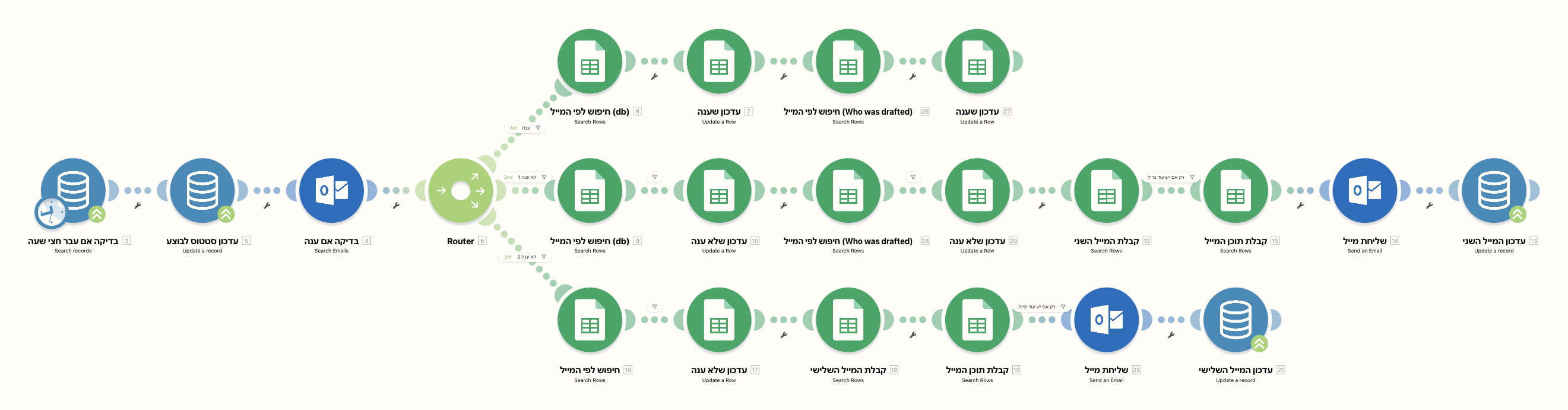
Every 10 minutes: who replied? who needs a reminder?
A tracking scenario runs every 10 minutes, checks the inbox against the outreach table, marks which suppliers replied, updates statuses in a sheet and saves the correspondence. Exceptions remain visible for team review.
The numbers you feel every day
Are your quotes stuck on copy-paste too?
If your team sends the same outreach over and over — we'll build a system that does it on its own, with real tracking.
Want a system like this? Check out our WhatsApp bot service or our pricing & plans.