Two CRM systems. One version of the truth — without double entry.
Case study by Achiya Cohen, founder of Achiya Automation
One team works in Monday, another in Affinity — and the data has to stay identical. A sync system in Make with real business logic: it doesn't just copy changes, it checks all the boards, validates conditions and updates only when it really needs to.
Two systems = two versions of the truth One system, two-way sync
- One team updates in Monday, another team in Affinity
- Double entry creates repeated work
- Each system a different truth — errors, arguments
- No way to know what the real status is
- A change in Monday triggers an update in Affinity according to rules
- A change in Affinity triggers an update in Monday according to rules
- Business logic handles the conflicts
- Logs and exceptions make discrepancies visible for review
Here's how it works inside
A description of each flow, with identifying details removed.
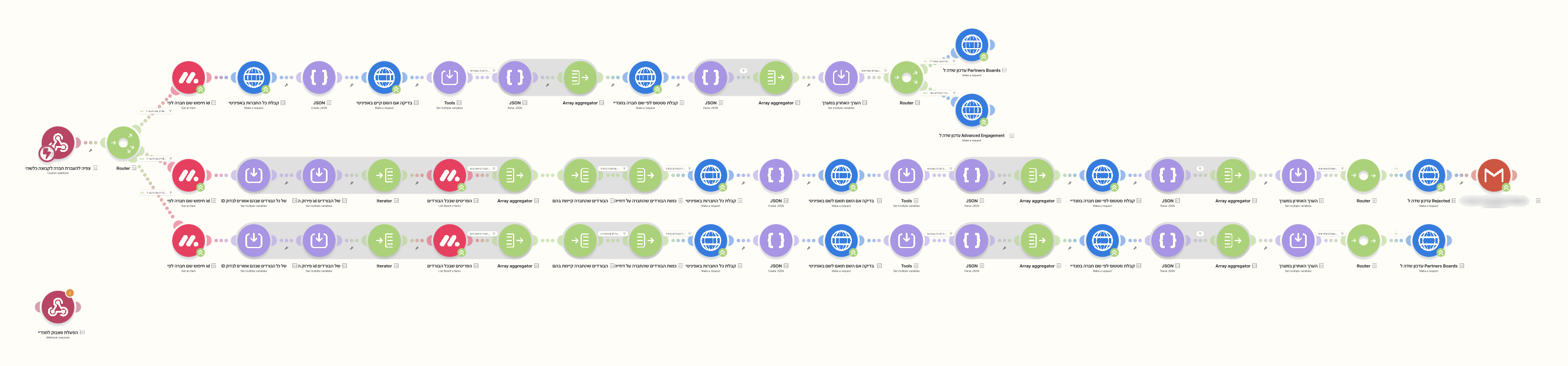
A company moves group in Monday → checks → update in Affinity
The main scenario runs three parallel branches. When a company is moved to a different group in Monday, the system doesn't rush to update: it checks the company's state across all the other boards, applies the business rules (including special conditions that must not be overridden), and only then updates the record in Affinity — including sending an automatic email when needed.
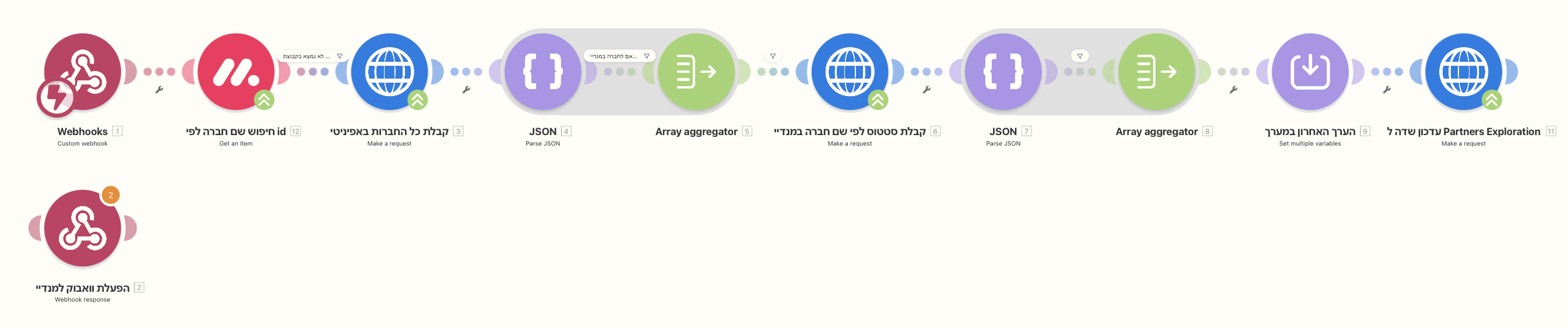
Status change → data pull → sync
When a company's status changes in Monday to a new stage, the scenario pulls the company details, packages them into the required structure and updates the matching fields in Affinity. Its rules determine which fields update and which exceptions need review.
The numbers you feel every day
Do you have two systems that don't talk to each other too?
CRM, ERP or spreadsheets — if the team copies data between systems, a sync can be built with rules, logs and exception handling.
Want a system like this? Check out our WhatsApp bot service or our pricing & plans.